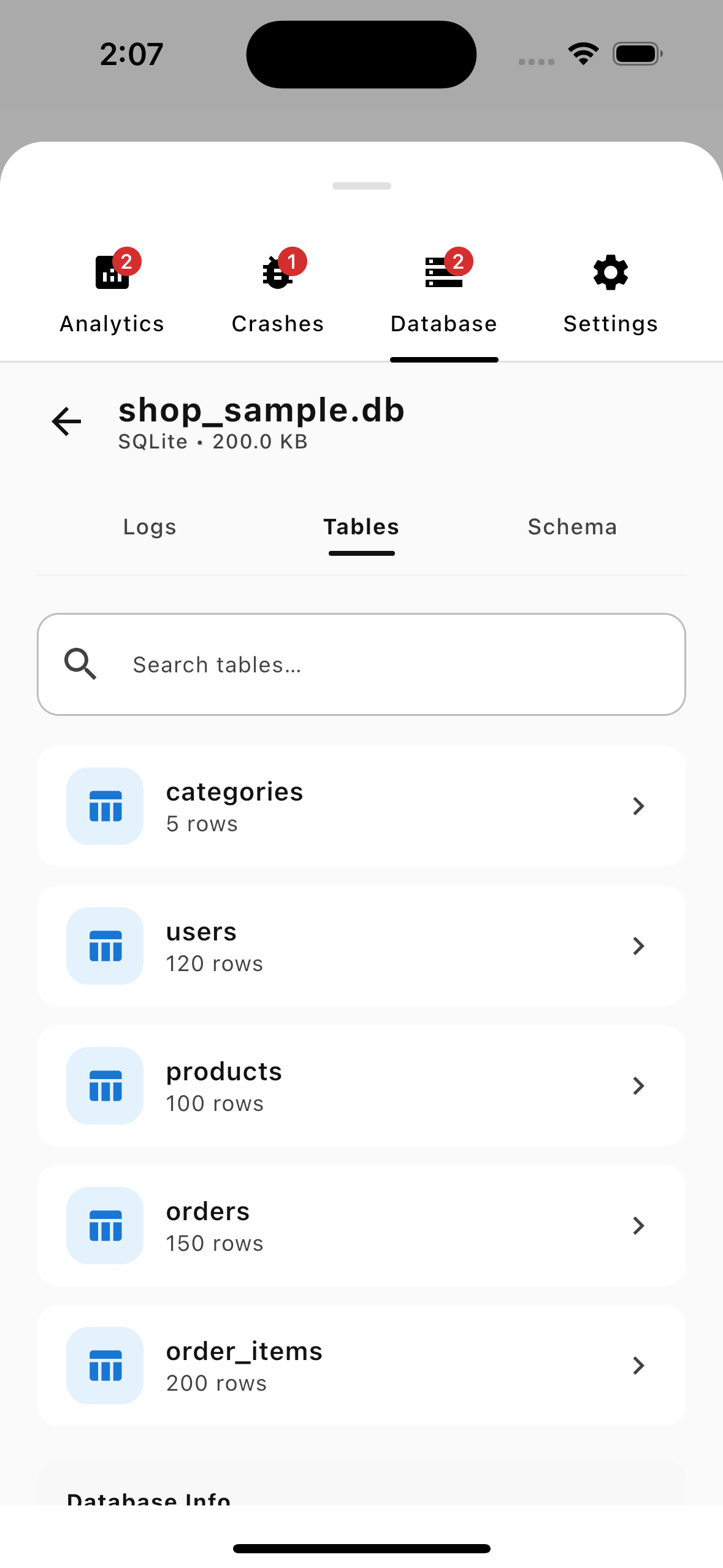
The enterprise-grade logging and crash tracking library built for Kotlin Multiplatform Android Apps iOS Projects Network Tracing Crash Capture to help mobile teams debug and ship with confidence.
Natively supports
A powerful suite of modular plugins designed to speed up mobile development, QA testing, and troubleshooting.
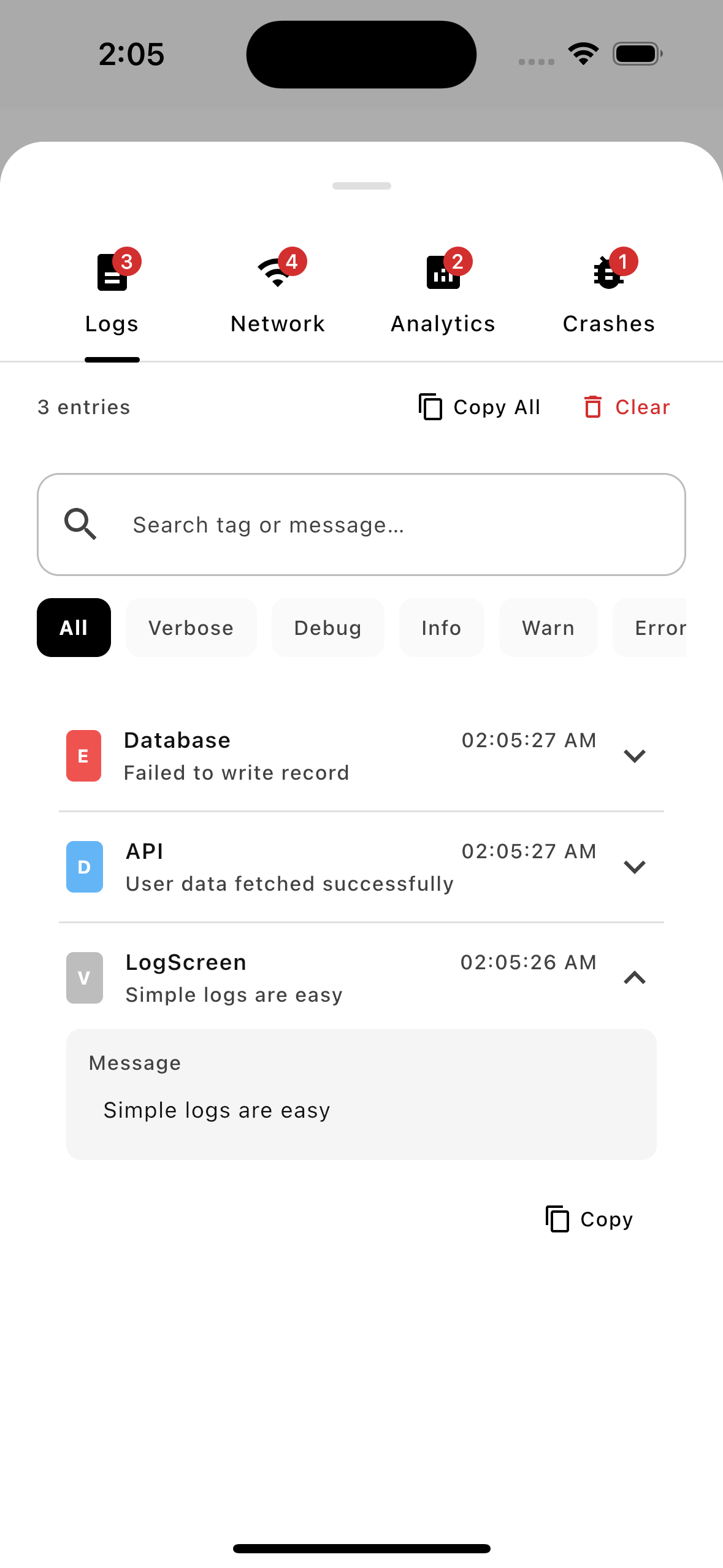
Search, filter by severity levels, and copy logs instantly with syntax-highlighted JSON preview. No more scrolling through bloated IDE consoles.
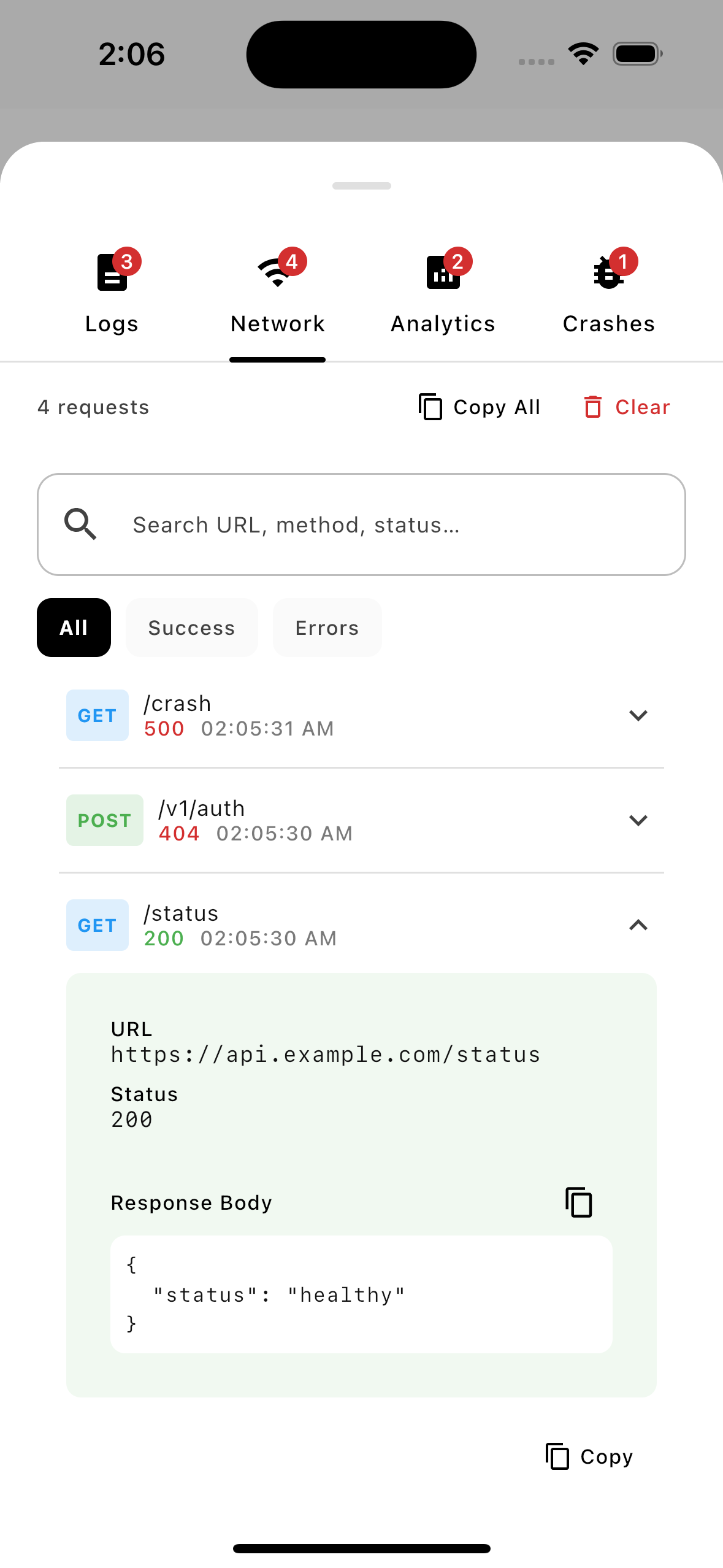
Inspect HTTP requests and responses, full headers, and body payloads with automatic secure redaction of sensitive credentials like authorization tokens.
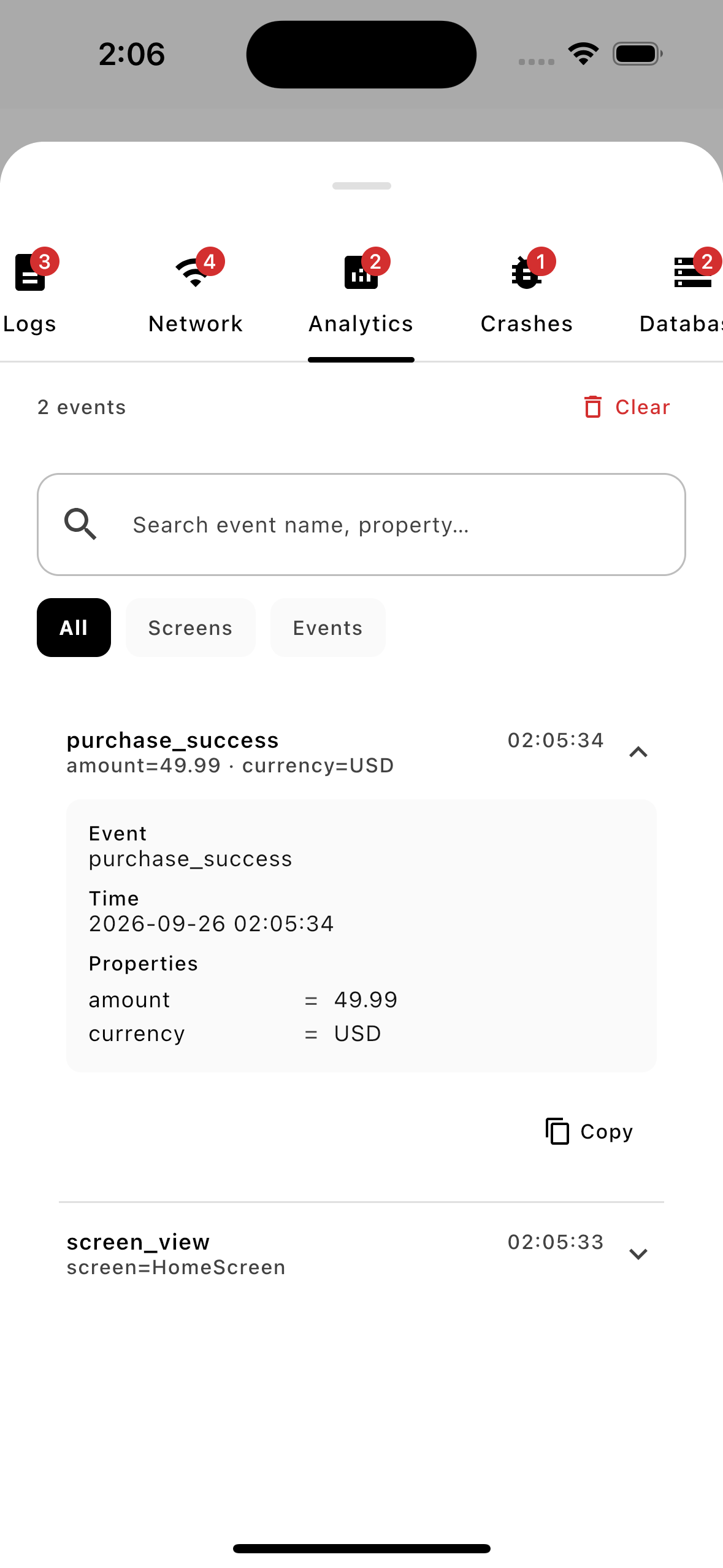
Verify analytics events and screen views in real-time. Make sure your tracked properties are correctly populated as you navigate.
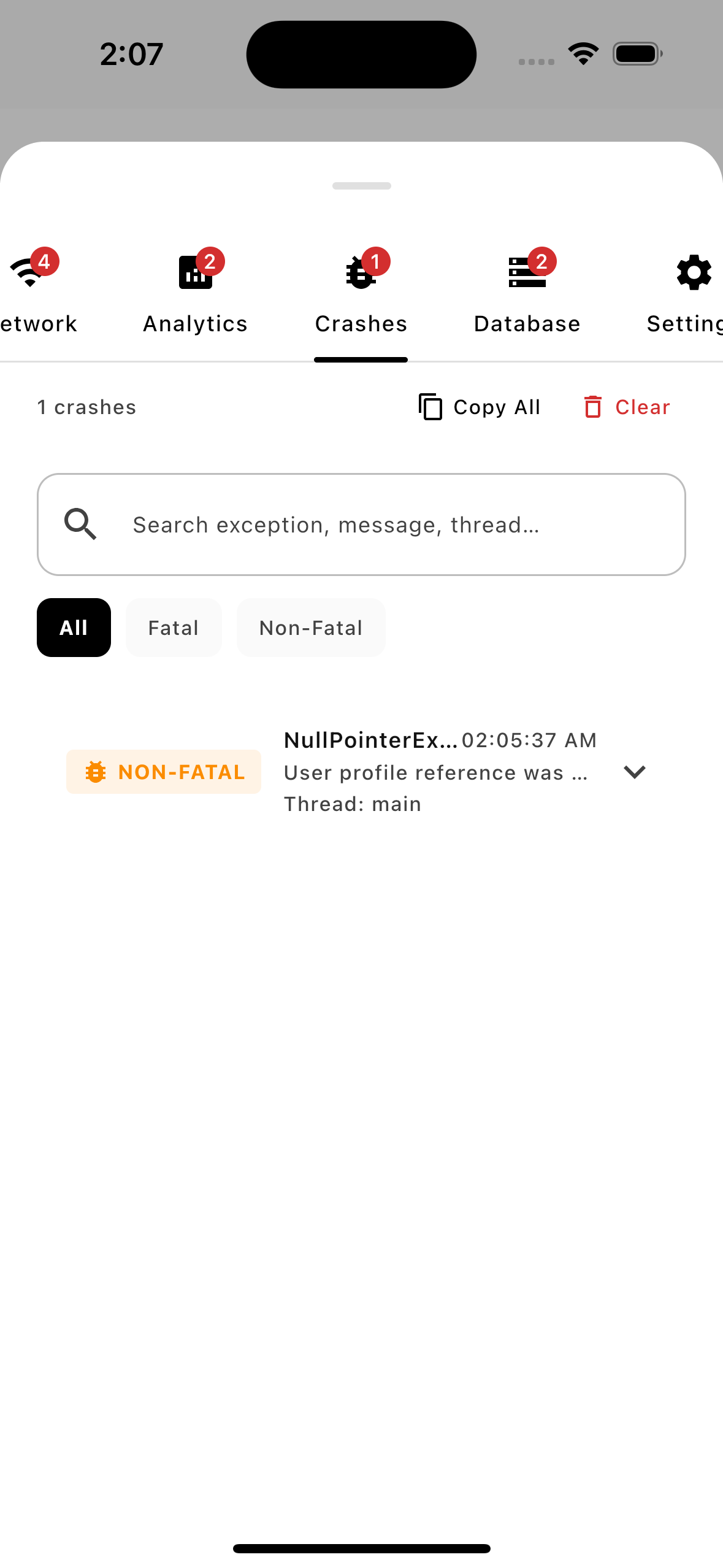
Capture and persist fatal and non-fatal exceptions right on the device. Browse complete stack traces even after the app restarts.
Extend AELog with custom debug screens (e.g., database viewers or feature flag toggles) using the simple UIPlugin API.
AELog uses an efficient in-memory RingBuffer. A single enabled flag completely strips all UI costs in production release builds.
AELog is engineered specifically for modern mobile developers and creators seeking high-velocity workflows.
Write once, debug everywhere. Native support for Android, iOS, Desktop (JVM), and WASM.
Empower QA engineers and beta testers to capture rich logs and crashes directly on-device without an IDE.
Ditch complex, paid external cloud crash logging servers during active development and staging.
Solving the biggest friction points in modern mobile debugging, testing, and troubleshooting.
Instant debugging. No complex configurations or setup steps—plugins auto-initialize and start working.
All logs, network calls, and crash details are stored locally on-device. No leaks, no privacy violations.
Verify network calls and analytics triggers, and view stack traces instantly when a bug or exception occurs.
Pick your features and get a perfectly tailored step-by-step setup guide instantly.
Add customized build configurations to your shared module.
Initialize AELog on app startup with custom limits or settings.
Render the floating trigger overlay globally in your UI.
Call static logging APIs from anywhere in your codebase.
@Composable
fun App() {
AELogOverlay() // ← Renders floating center-right notch above your UI
MaterialTheme {
YourAppContent() // No wrapping or tree alterations needed
}
}
// No Compose required — inject the viewer dynamically
import com.ae.log.launchViewer
// From a button tap, custom developer gesture, etc:
AELog.launchViewer(activity)
A multi-layered architecture that guarantees zero-data-loss and minimal performance overhead on the host application.
The heartbeat of the system. Manages Plugin Registry, PluginContext lifecycle, UI rendering loop, and the global Singleton API.
// Install plugins & disable notch globally
AELog.install(LogPlugin())
AELog.showNotch = false
The internal RingBuffer stores logs efficiently in memory, preventing out-of-memory errors and ensuring logging never blocks your main UI thread.
Store crashes and logs efficiently using file-based persistence that survives restarts.
Feature-agnostic core with independent modules for Network, Crashes, and Sinks.
Everything you need to integrate, configure, and extend AELog in your Kotlin Multiplatform apps.
Learn the minimum dependencies, setup procedures, and complete a 5-minute integration for Android & iOS platforms.
Read Setup Guide →Configure custom background threads, thread-safety, custom capacity limits, and custom diagnostic error streams.
View Configuration Guide →Extend AELog by building decoupled background collectors or custom interactive UI panels in Compose.
Explore Plugin APIs →Forward messages seamlessly from third-party ecosystems including Napier, Kermit, Timber, and Ktor logging.
View Logging Bridges →The engineer crafting open-source developer tooling for modern mobile teams.
Mobile App Developer
I am a Mobile Software Engineer passionate about building high-quality Android applications and developer tools that improve the development experience. With experience in Android Native development using Jetpack Compose and XML, Flutter, and Kotlin Multiplatform, I focus on creating solutions that are simple, performant, and easy to maintain.